
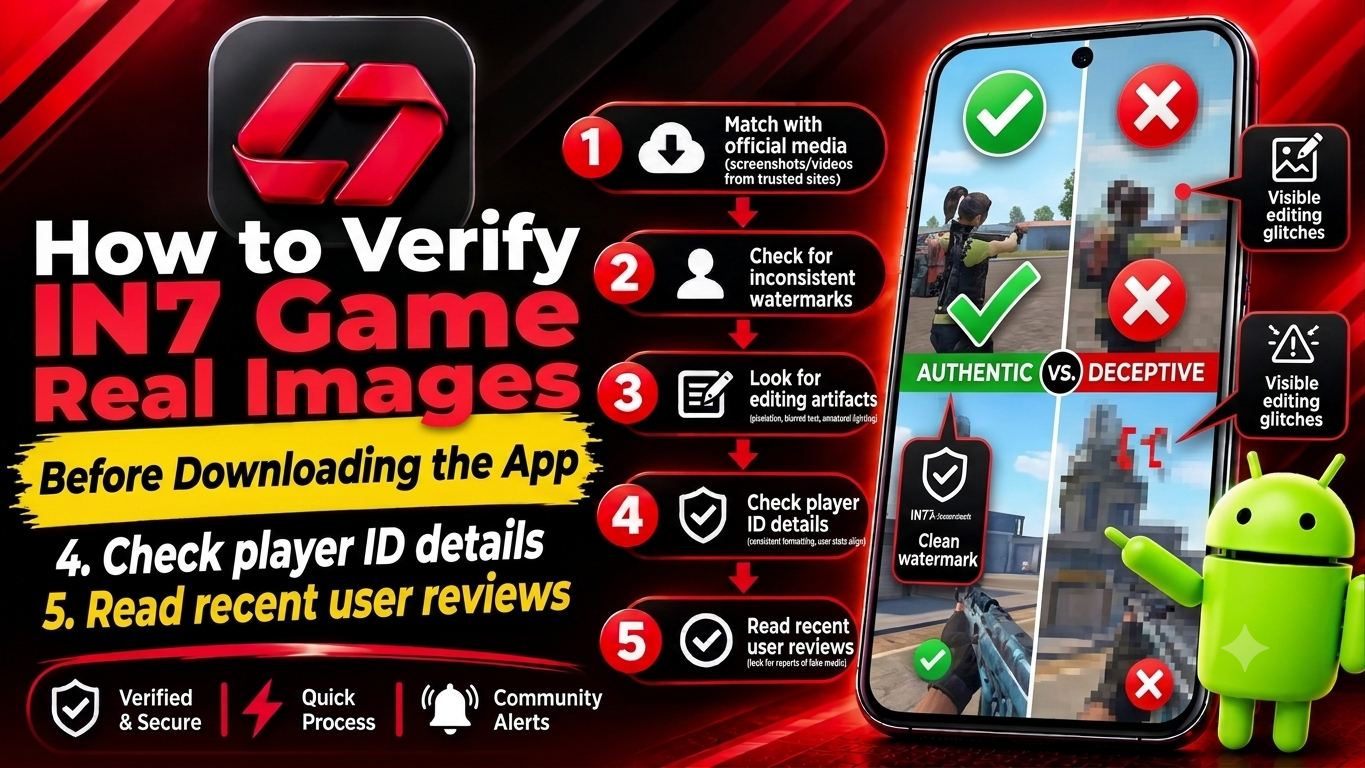
How to check IN7 Game Real Images before downloading it. The guide provides easy-to-follow instructions, warning signs, and safe practices for avoiding fake screenshots and dangerous files.
The IN7 Game Real Images shows you how it actually appears. Pictures are trusted by many people before downloading them. Quickly check it out in just a few minutes to avoid future problems.
A guide on how to verify a screenshot is provided here. Also, you’ll know how to identify fake images. All of these tips are simple safety practices that everyone can practice at home.
Why Do IN7 Game Real Images Matter Before You Download?
Screenshots show the home screen, menus, and game pages. When these IN7 Game Real Images are true, you know what to expect. You also avoid apps that only copy a name.
Fake pictures can lead you to the wrong file. Some pages use old or edited images to get clicks. Clear IN7 App Real Images let you compare the file with the page.
What Do IN7 App Real Images Usually Show?
Genuine pictures usually match the app on your phone. They look clean and normal. Check for these simple points when you view each image on the page.
- Clear text with no blur or stretched letters.
- The same app name and logo on every screen.
- A normal phone status bar with time and battery.
- Menus and buttons that look the same across pictures.
- Screens that match the app version listed.
5 Easy Steps to Check IN7 Game Real Images
It is simple to perform without much skill needed. First tap on it, then follow along until you reach the download button, and stop if any step looks wrong.
Step 1: Screenshot is sharp and clear. Low resolution pictures can come from being captured by another person’s camera; therefore, be careful about using those images.
Step 2: Upload an image to search it later. Same image may appear at different places and it could be copied from another site.
Step 3: Compare logos, logo styles, colors schemes and menus from various screenshots. All these should be compatible with each other. Mixed styles may result from images being taken by different sources.
Step 4: is typically captured by an end-user from a mobile device. Check if the date of publication is correct by comparing it with this image.
Step 5: Check for app size and version prior to installation. The images should be consistent with those shown at a website for downloads.
How Can You Spot Fake IN7 Game Real Images?
Scammers copy pictures from other apps and change a few words. Watch for the signs below. One sign alone may not prove anything, but many signs together are a warning.
- Pictures with watermarks from other websites.
- Screens that show huge win amounts or cash offers.
- Wrong spelling in the app name or menu text.
- Images that look too perfect or too bright.
- Different phone styles in one set of pictures.
The table below gives a quick view of the main differences. Use it as a simple checklist while you review each picture on the page.
| Point | Real Image | Fake Image |
| Text | Sharp and clear | Blurry or stretched |
| Logo | Same on all screens | Changes or goes missing |
| Source | Taken from a phone | Copied from other sites |
| Details | Matches app version | Old or mismatched |
Where Should You Download the App Safely?
After you check IN7 App Real Images, check where the file comes from. Use the main website and avoid links from random chats or pop-up ads.
- Use the official website link only.
- Scan the file with a trusted security app.
- Read the permissions before you tap Allow.
- Keep your phone software updated.
- Never share your password or OTP with anyone.
What Should You Do After Checking the Pictures?
Visit in7apks.com to see the IN7 APK Latest Version and its details. You can then Download IN7 APK or start the IN7 App Download after your checks are done.
Next, Download IN7 Game on your phone and open it. Compare the screens with the pictures you saw. Then finish IN7 Game Registration and use IN7 Game Login to enter your account.
Some users like IN7 Game Play Online after setup. Keep your details private and play within your own limits. Careful checks of IN7 Game Real Images keep your phone safer.
Final Thoughts
Checking IN7 Game Real Images takes little time but gives clear answers. Compare screenshots, read comments, and use only trusted links. Small checks protect your phone and your data. Download only when everything looks right to you.
Need more help to start the app? Read our guides on IN7 Game APK Download, IN7 Game Update, IN7 Game Download, IN7 Game App Download, and IN7 App Latest Version for simple steps.
Frequently Asked Questions
1. What is an IN7 Game Real Image?
IN7 Game Real Images is a genuine photograph of an IN7 game played on screen by the application. The real screen shows the menu bar and button layout of an application for preview purposes before installation.
2. Why should I check images before downloading them?
The image shows how this app looks. Checking them helps you avoid copied pages, edited pictures, and wrong files before you waste time or risk your phone.
3. How do you know whether IN7 App Real Images are fake?
Look for blur, watermarks, and incorrect spelling. Also check if there are any duplicate images on other websites, since they may be fake pages.
4. Can I trust every screenshot I see online?
Not all screenshots are accurate. Check Verify IN7 Game Real Images through reverse search and recent user reviews before trusting any page or file.
5. Do real photos match this application?
Yes, it is necessary that they are compatible with what you see here. Old IN7 Game Real Images might display outdated versions, so always check for updates as well.
6. Is an inverse image search helpful?
Yes, it shows where else a picture is located. Images copied from various sources may indicate a fake website or an incorrect download link.
7. Where can I download this application?
Only use an official website link for this purpose. Don’t use random chat links or pop-up ads, even if the images seem nice, as they may contain dangerous files.
8. Is there enough evidence from real images of IN7 App to show that it’s safe?
No, images are just one part of it. Scan this file for permission after reviewing IN7 App Real Images to install it on your phone.
9. What is this if it doesn’t look like what you see on screen?
Stop and delete this file. Compare this app to an authentic IN7 Game Real Image; try it once more only when there is a match on screen, name, and logo.
10. Can I ask someone for help if I am uncertain about something?
Yes, ask a trusted friend or read user comments. Share IN7 Game Real Images with them, but never share your password or OTP with anyone.
Disclaimer: This article is for general information only. App pictures and details may change over time. Check the latest details yourself and use any game app at your own risk.
People often search for IN7 Game, IN7 Game Real Images, IN7 APK, IN7 Game Official Website, IN7 Game Online, and IN7 Game Play Online.
Others look for IN7 Game Download, IN7 Download, IN7 Game Latest Version, IN7 Game Install, and Download IN7 Game. Some also search for the IN7 Game App.
Related searches also include IN7 App Download, IN7 App Download APK, IN7 Game App Download, and Download IN7 App. Many users also check the IN7 Game APK and IN7 Game Download APK pages.
You may also see IN7 APK Download, IN7 APK Latest Version, Download IN7 APK, and IN7 Game APK Download. After setup, many people use IN7 Game Login and complete IN7 Game Registration.